
Connect
Bring the right context into the tools you already use.
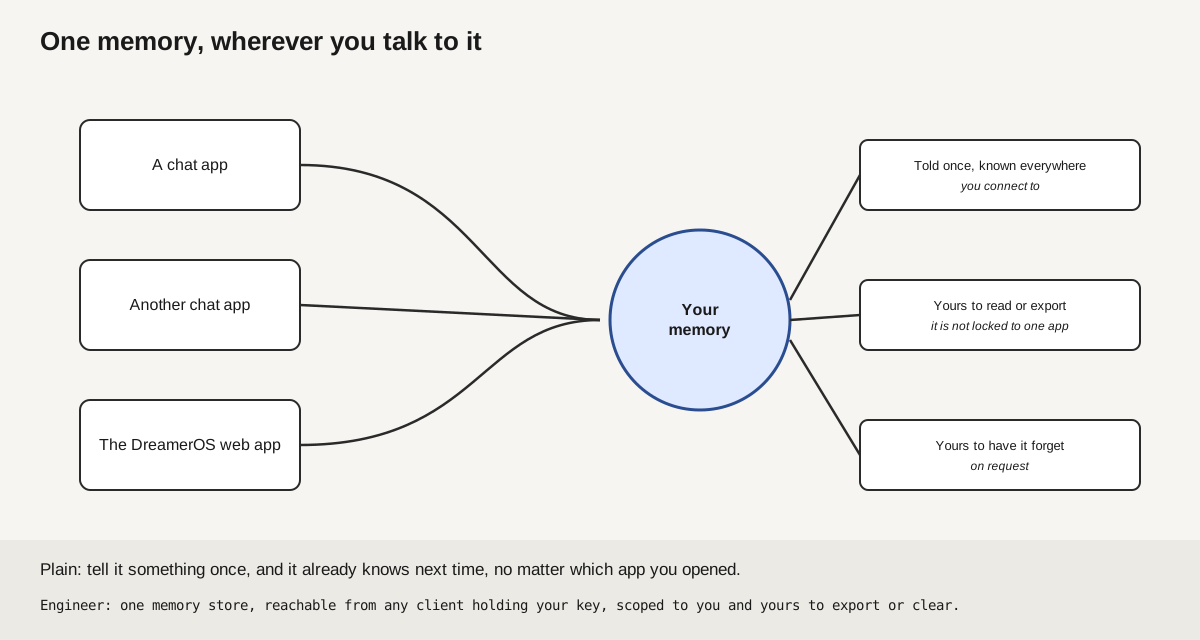
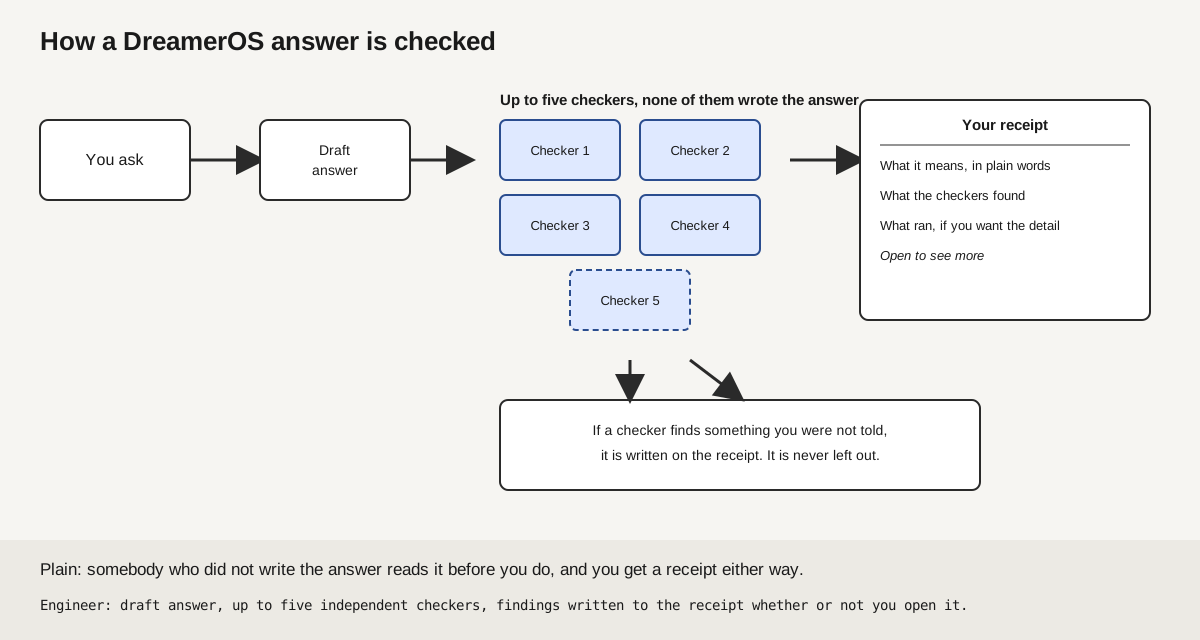
DreamerOS can check an answer and carry account memory into supported connections. Each client has its own setup and proof path. Automatic parity across every connected tool remains In Beta 2.0.
Supported write routes can check an action against what you asked. Anything a route cannot classify is held for review.
Try it free. No card, ever.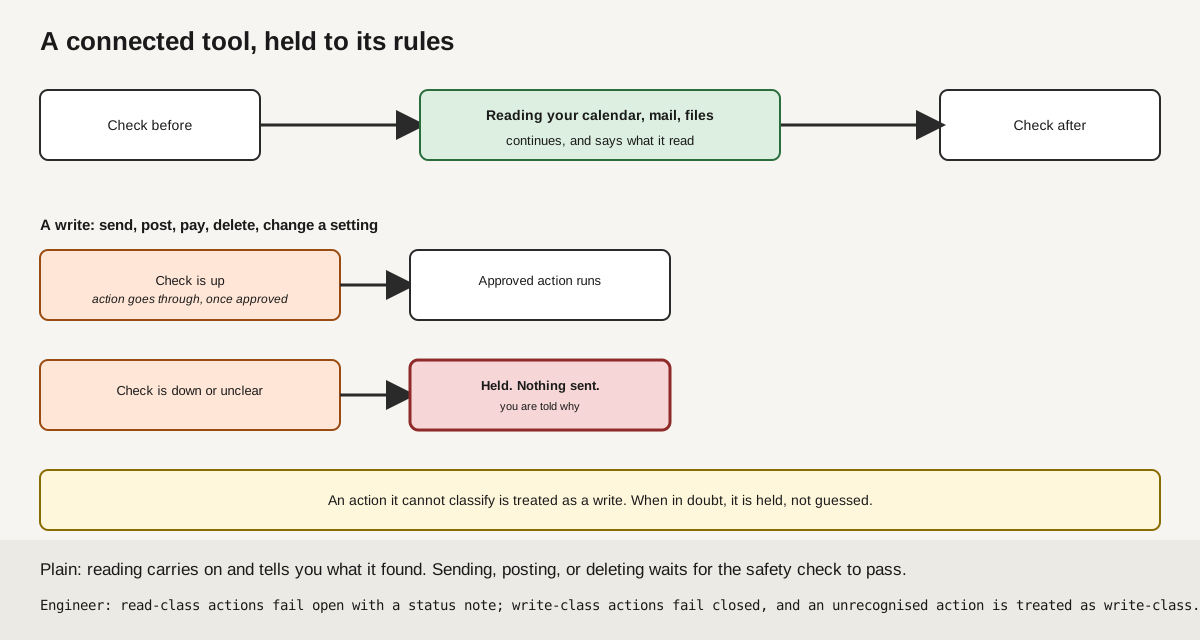
Mail and calendar
Your inbox and calendar, read and checked.
Supported provider routes can read your mail and schedule, draft replies, and prepare meeting changes when you ask. Their checks and approval behavior are route-specific. Zapier outbound automation and universal approval or action parity across connectors are In Beta 2.0, so do not rely on them for customer automation yet.
How it is wired
Files and notes
Your notes, designs and datasets, held as memory too.
Supported file and note routes can pull in notes, records, designs, datasets, and audio for your DreamerOS memory. Read and write behavior is route-specific. Do not assume every connector has the same approval or action gate while universal parity remains In Beta 2.0.
How it is wired
Code and work
The tools you already code and ship in.
Supported code and work routes can bring project context into DreamerOS. A deploy, merge, or ticket action has its own route and enforcement behavior. Do not treat a listed connector as proof that the same check or approval path applies everywhere.
How it is wired
Money and everything else
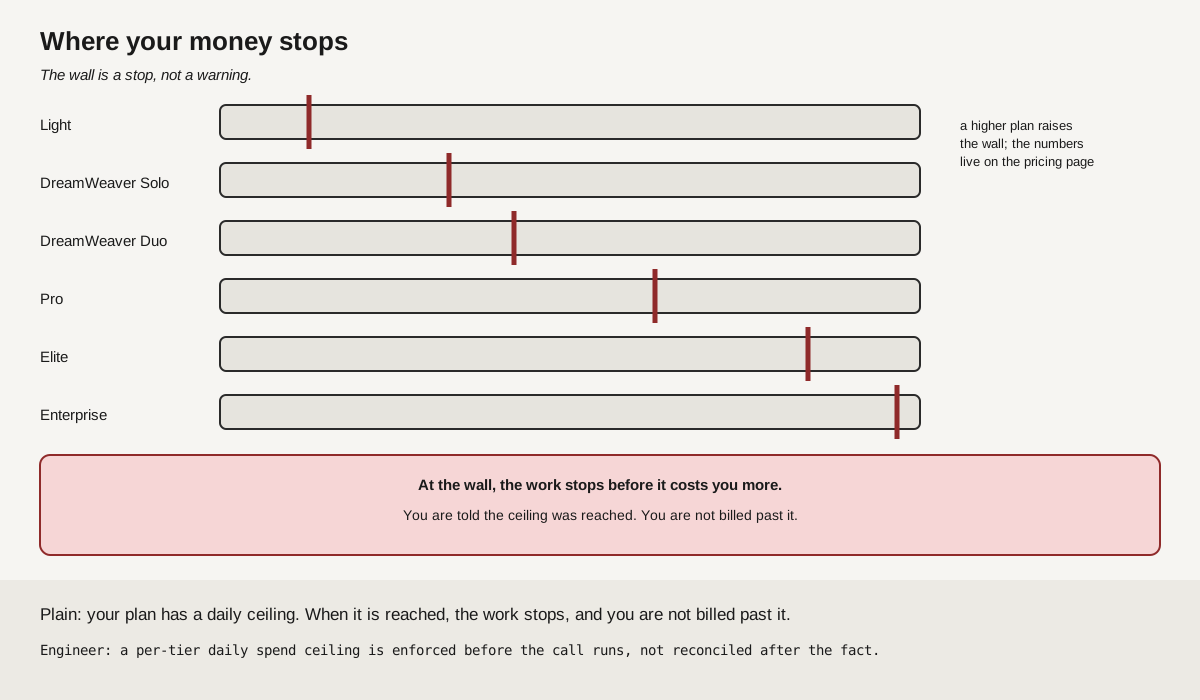
Know the route and its limit before money moves.
Bring your own provider key for supported routes, subject to that provider and your plan limits. Spending and posting safeguards are route-specific. Zapier outbound automation and universal approval or action parity are In Beta 2.0, not a customer-ready promise.
How it is wired
For builders
The mechanism, one click from here: build with DreamerOS, the client setup guide, and how a connection travels. All one click from here.
More detail
What connectors usually get wrong
A connector is a link between DreamerOS and a tool you already use. Gmail. Notion. Slack. GitHub. Here is how these usually go wrong elsewhere: an assistant is handed a key that opens everything, because that was the only key on offer, then it reads a message somebody else wrote and treats that message as an order. Reported failures in the trade press include a broad GitHub token that let hidden instructions inside a public issue leak private repositories, a production database deleted in nine seconds by a token meant only for domain management, and automations pulled after any issue posing as a trusted bot could trigger them. The pattern in all of them is the same: the connector was given more permission than the job needed, then it read text somebody else wrote and treated that text as an instruction.
What DreamerOS checks, in order
On a supported connector path, the route checks an action against what you asked for. A mismatch stops that route and tells you why. The route marks connected material as reading material and names its source. It does not treat that material as an instruction. Routes with an audit event can record what they did and whether the check passed. A route that cannot classify a write action can hold it and report the reason. Each route handles reads differently.
Setting it up
Open the authenticated Connect page in your account, choose the setup path for your client, and confirm the connection with the client's own handshake before you rely on it. Read the public setup guide first for the client-by-client instructions, or how connections work for the plain-words version of which way a connection travels. Every signed-in tier, Light and up, can generate its own account-specific connection key from the app.
Connections in the current public registry
Claude Desktop, ChatGPT, Cursor, VS Code, Windsurf, Claude Code (Web), Claude Code (Desktop), Codex (Web), Codex (Desktop / CLI), Lovable, Base44, Gemini, Grok, Hugging Face, Custom LLM endpoint, Bring Your Own AI, Railway, GitHub, Vercel, Notion, Supabase, Firecrawl, Resend, Cloudflare, Sentry, Slack, Gmail, Linear, Google Calendar, Zapier, OpenAI API Key, Anthropic API Key, Perplexity API Key, X (Twitter), Buffer, Google Drive, Airtable, Airtable (OAuth), Figma or ElevenLabs. A listed connection does not prove that every read, write, approval, or memory feature works the same way. Follow that client's setup and proof path.